
What is Temps?
Temps is a self-hosted platform-as-a-service that ships as one Rust binary. You install it on your own Linux server, connect a Git repository, and it builds and deploys your apps with automatic HTTPS. The same binary replaces seven hosted tools: git-push deployments (Vercel), web analytics and session replay (PostHog), error tracking (Sentry), uptime monitoring (Pingdom), OpenTelemetry traces, metrics and logs (Datadog), transactional email (Resend) and AI agent sandboxes (E2B). It also runs managed PostgreSQL, Redis, MariaDB, MongoDB and S3-compatible storage next to your apps. Temps is free and open source under MIT / Apache 2.0.
Ready to try it? The Quickstart installs Temps and deploys a first app in about 5 minutes. For how the pieces fit inside the binary, see Single-binary architecture.
What Temps does for you
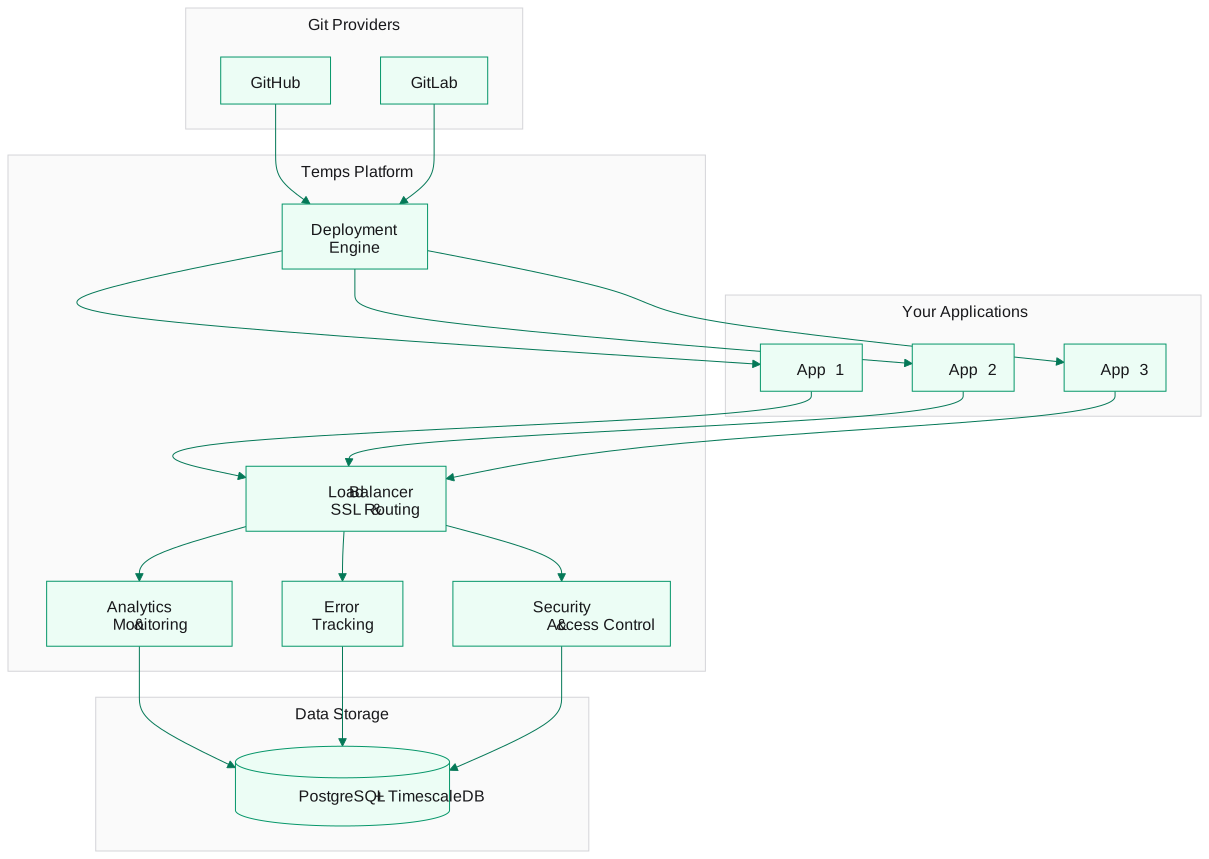
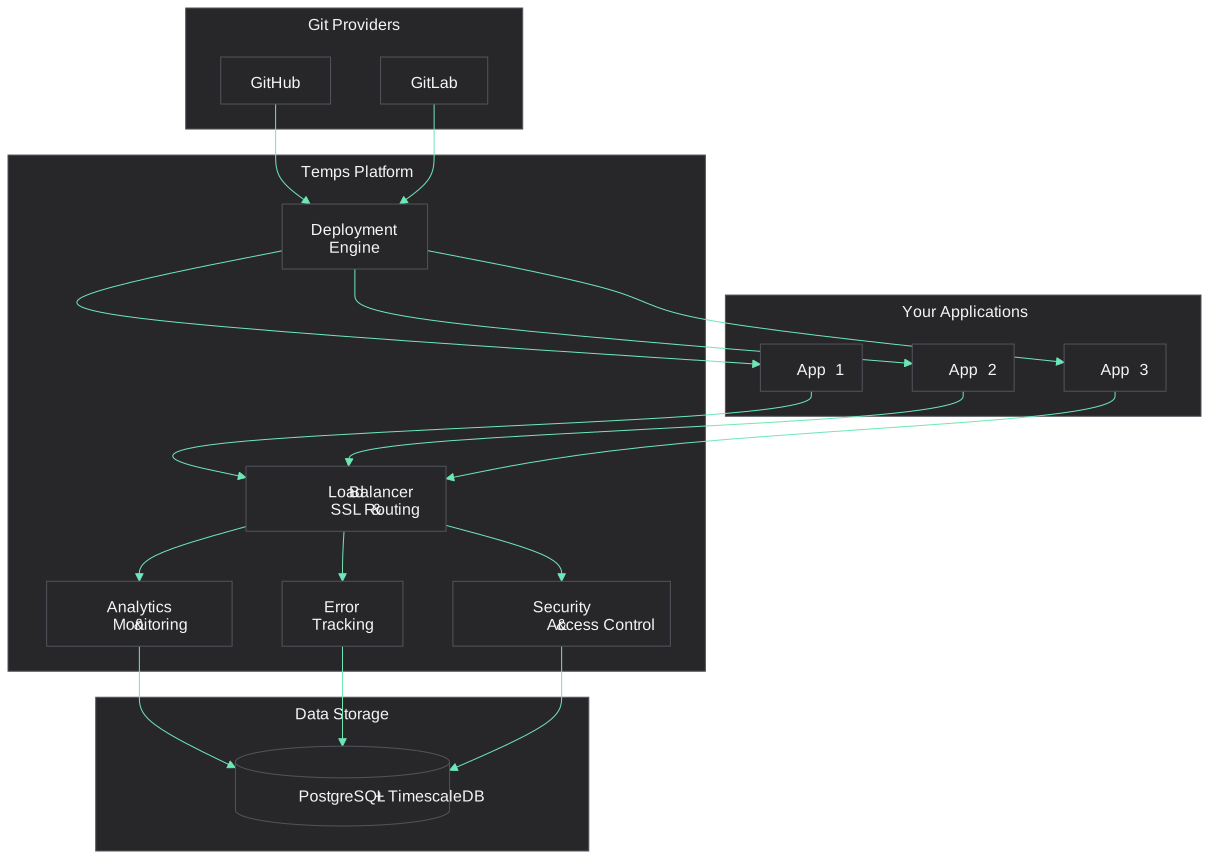
In words: pushes from GitHub or GitLab reach the deployment engine, which builds and runs your apps. Traffic to the apps goes through the built-in load balancer, which handles SSL and routing. Analytics and monitoring, error tracking and access control run in the same platform and keep their data in PostgreSQL with TimescaleDB on your server.
Core capabilities
Deployments
- From Git — connect GitHub, GitLab, Bitbucket, Gitea or any Git server; pushes deploy automatically. See Deployments.
- Auto-detection — Temps detects common frameworks from your repository files; a
Dockerfileor Docker Compose file works for everything else. See Supported platforms. - Health-checked cutover — a new deployment only receives traffic after its health check passes; otherwise the previous one keeps serving. Roll back by redeploying an earlier deployment (Rollbacks).
- Preview environments — every pushed branch can get its own environment and URL. See Environments.
Domains and HTTPS
- Let's Encrypt certificates — issued and renewed automatically (HTTP-01, or DNS-01 for wildcards).
- Custom domains — add as many as you need per project. See Domains & SSL.
Web analytics
- Visitors, page views and sessions — first-party tracking stored on your server.
- Custom events, funnels and Core Web Vitals — see Analytics.
Session replay
- DOM recording with masked inputs — replay what a visitor saw, stored on your own server. Off by default. See Session replay.
Error tracking
- Sentry-compatible DSN — use the official Sentry SDKs; errors are grouped, with stack traces and alerts. See Error tracking.
Uptime and observability
- Uptime monitors — external checks with alerts. See Monitoring.
- OpenTelemetry — ingest traces, metrics and logs. See OpenTelemetry.
- Logs — build and runtime logs streamed live. See Logs.
Email and AI
- Transactional email — send through SES, Scaleway or an SMTP relay. See Transactional email.
- Sandboxes — isolated environments for AI coding agents. See Sandboxes.
- AI gateway — one OpenAI-compatible endpoint in front of several model providers. See AI gateway.
Managed services
- PostgreSQL, Redis, MariaDB, MongoDB and S3-compatible storage — created on your server and linked to projects, with backups to S3. See Set up managed services.
Access and security
- Users, teams and project roles — Owner, Admin, Deployer and Viewer. See Authorization.
- MFA, OIDC single sign-on and scoped API keys — see Authentication and SSO with OIDC.
- Attack Mode — a proof-of-work challenge you switch on per project when bots hit your app. See Attack Mode.
- IP block list — an instance-wide list of blocked addresses.
Premium: per-project and per-environment IP access rules and request firewall, SAML SSO, enforced SSO, SCIM, custom roles, approval gates and a tamper-evident audit log are part of Temps Premium.
How deployments work
When you deploy an application:
- Connect repository — link your Git repository
- Detect — Temps detects your framework, or uses your
Dockerfile - Build — your app is built into a container image
- Deploy — the container starts with your environment variables
- Health check — Temps waits for the app to respond before switching traffic
- Go live — your app is served over HTTPS at its domain
See Deployments for the full pipeline breakdown, including build caching, rollback behaviour and zero-downtime deploys.
Data & analytics
What gets tracked
- Requests — HTTP requests to your apps pass through the Temps proxy
- Visitors and sessions — two first-party cookies identify a visitor and a session
- Errors — application errors reported through the Sentry-compatible DSN
- Performance — response times and Core Web Vitals
Analytics dashboard
- Real-time views — see activity as it happens
- Historical data — analyse trends over time
- Funnels — track conversion paths
See Data Flow for what is stored and where, and Data ownership and privacy for what stays on your server.
Security & privacy
Your data, your control
- Self-hosted — your apps, analytics, replays and errors are stored on your own server
- Encrypted secrets — secret environment variables, TLS keys and provider credentials are encrypted at rest with AES-256-GCM
- TLS — all traffic to your apps and the console is served over HTTPS
- Access control — project roles per team
See Security for the threat model, Attack Mode and the access control reference.
What you can deploy
Temps supports any application that runs in a container:
| Type | Examples |
|---|---|
| Frontend Apps | React, Next.js, Vue, Svelte, Angular |
| Backend APIs | Node.js, Python, Go, Rust, Ruby, PHP |
| Static Sites | Hugo, Jekyll, Gatsby, plain HTML |
| Full-Stack | Next.js, Nuxt, SvelteKit, Remix |
| Databases | PostgreSQL, Redis, MariaDB, MongoDB, S3-compatible storage (as managed services) |
| Custom Apps | Anything with a Dockerfile |